


Latest articles

Follow Us


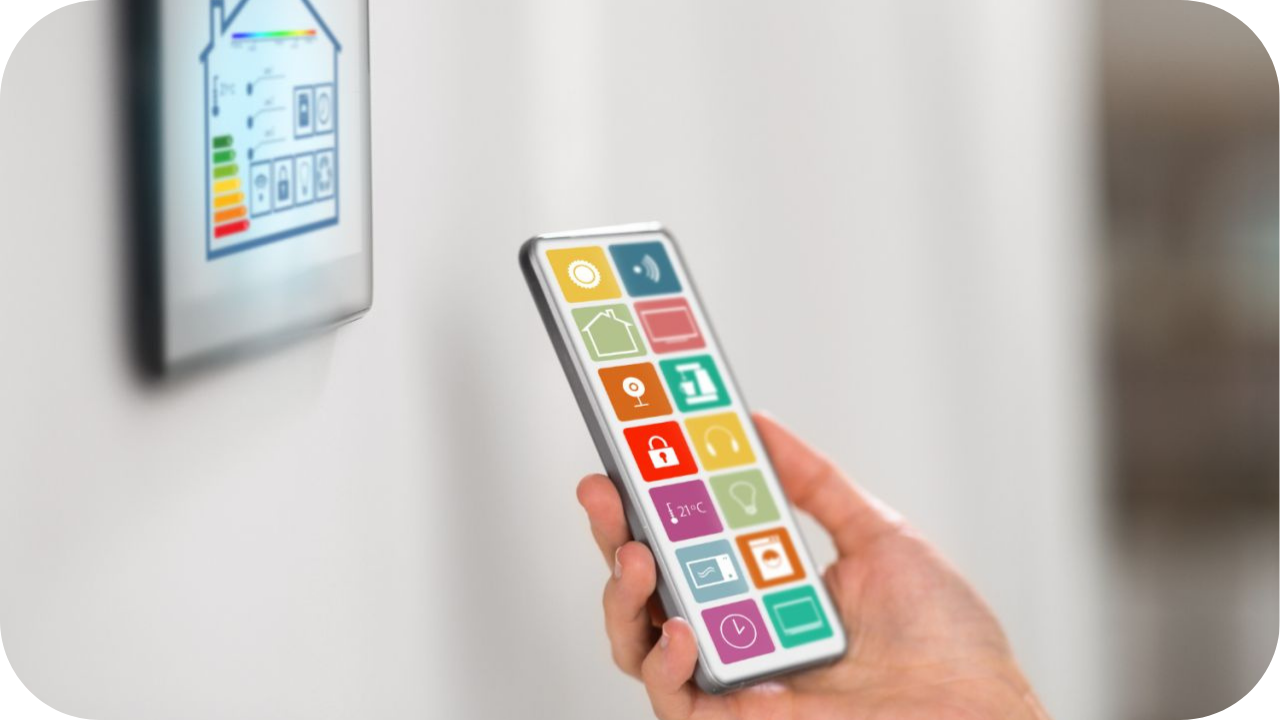


Smart home automation is the control of a home's lighting, heating and cooling, blinds, security and energy equipment by schedules, sensors and rules, so the house responds without someone pressing a switch each time. In Australia it comes in three broad forms: hard-wired building automation, professionally installed whole-home platforms, and consumer wireless devices. The choice decides what cabling the home needs, what it costs and who may legally install it, so anyone building or renovating should settle it at design stage.
ROMAAC Group designs and builds custom homes, renovations and extensions, mainly in Melbourne and Victoria, and smart home integration is one of its services. This guide explains the concepts and the choice of system. It does not rank brands or recommend products.
Rules and guidance in this article were checked against the linked sources on 13 November 2026. The electrical rules quoted are Victoria's, and other states and territories set their own.
A smart home is a house in which equipment such as lighting, heating and cooling, hot water, blinds, locks and appliances is connected, so that it can be controlled remotely and can run automatically. The Australian Government's energy.gov.au guide to smart homes puts it in one line: "A ‘smart’ or ‘connected’ home enables household equipment and appliances to be controlled automatically and remotely." The devices talk to each other over cabling or a wireless network, and people operate them from wall keypads, a phone app, a touch screen or a voice assistant.
Remote control still needs a person to give each instruction, only from a phone instead of a wall switch. Automation takes the person out of routine decisions. The same guide describes the actions of home automation systems as "triggered based on user-defined rules, schedules, or sensors". In practice that gives four tools:

Smart home automation can control almost anything with a power supply, but nine groups cover most residential projects. Each is listed with what automation typically does with it.
Smart home systems fall into three types, and the main difference between them is whether control signals travel on dedicated cable or over a wireless network. The table sets the three against the questions that matter during a build.
| Question | Hard-wired building automation | Professionally installed whole-home platform | Consumer wireless ecosystem |
|---|---|---|---|
| Examples | KNX, Clipsal C-Bus | Integrator-supplied control systems, often layered over wired lighting | Wi-Fi, Zigbee, Z-Wave and Thread devices, the Matter standard, and the Apple, Google and Amazon ecosystems |
| How devices connect | Dedicated control cable linking keypads and sensors to dimmers and relays | A central processor linked by data cabling and the home network to each subsystem | Radio links to a router or hub, with power from a power point, existing wiring or batteries |
| When it has to be installed | During construction, or a renovation with walls and ceilings open | Designed with the house, cabled before plaster, fitted off near completion | Any time, including in a finished home |
| Reliability | Does not rely on Wi-Fi. Depends on sound design and programming | Depends on the wired backbone, the home network and the programming | Depends on wireless coverage, device quality and, for cloud-controlled devices, the internet connection |
| Ease of changing later | Functions can be reprogrammed without rewiring. New wired points need new cable | Changes usually go back to the integrator who programmed it | Devices can be added, moved or replaced by the owner |
| Who installs it | A licensed electrician, with a trained programmer | A specialist integrator, with a licensed electrician and a registered cabler | The owner for plug-in and battery devices. A licensed electrician for anything wired to mains |
| What it suits | New builds and major renovations wanting whole-home lighting and control | Larger homes combining lighting, audio, video, security and climate in one interface | Existing homes, apartments, staged budgets and additions to a wired system |
Hard-wired systems carry their control signals on a dedicated low-voltage cable, separate from the power wiring. Keypads and sensors on that cable send messages to dimmers and relays, usually grouped at a switchboard, and those switch the lighting and other circuits.
KNX is an open standard, not a product. The KNX Association describes it as "An internationally recognised standard, not owned by a single brand", with certified devices from different manufacturers tested to work together. Its most widely used form, KNX TP, "uses a dedicated twisted-pair bus cable designed specifically for building automation", and a radio version covers places where cable cannot be run.
C-Bus is Clipsal's system, now branded SpaceLogic C-Bus. Clipsal says it started in 1994 at the company's design and engineering base in Adelaide and calls it "a cabled solution", wired with the pink cable that electricians associate with it. It uses what Clipsal terms distributed intelligence: each device has its own microprocessor, so the system "does not require a central controller like other systems".
Both are installed while walls are open and programmed by a trained installer. One keypad can stand in for a bank of switches, so plate positions become part of the interior detailing behind a high-end architectural finish.
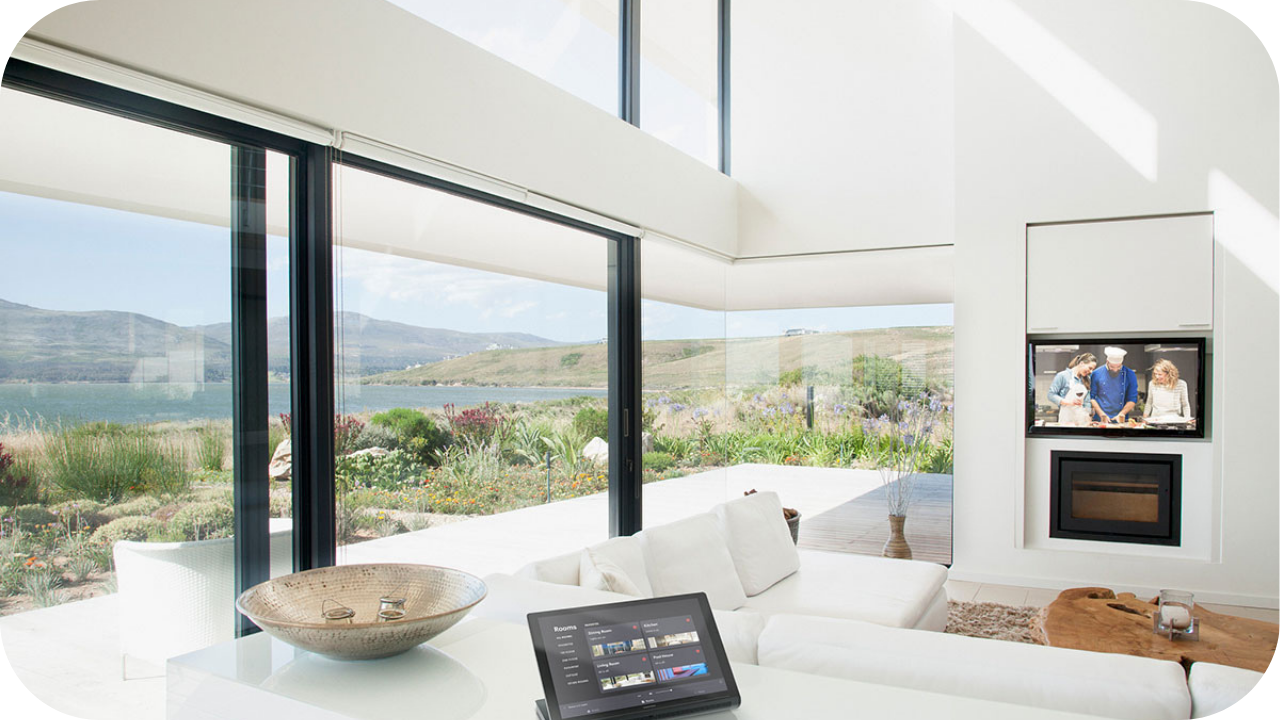
A whole-home platform puts one interface, usually touch screens, keypads and an app, over systems that would otherwise each have their own controls: lighting, audio, video, security, intercom and climate. It is supplied, installed and programmed by a specialist integrator. The Australian Government's Your Home guide to smart homes says that for more complex solutions, "complete packages from manufacturers offer the hardware and software for central and remote control".
The trade-off is dependence on the programmer. The configuration is written for your house, so before you commit, ask who will hold the program files and administrator passwords, whether another integrator could take the system over, and what still works if the central processor or the internet connection fails.
Consumer devices are bought one at a time and joined to an app, with no dedicated control cable. The names on the packaging describe different layers of the same arrangement, which is why they confuse people:
Open standards matter because they limit lock-in. Your Home's assessment is blunt: "Closed ecosystems often provide a simpler customer experience but create ‘brand lock-in’ and limit future flexibility."
Wire what is fixed while the walls are open, and use wireless where the walls are closed or where things will change.
Wireless does not always mean wire-free. A wireless smart switch or dimmer still connects to mains wiring, so fitting one is electrical work. Most new homes also end up as hybrids, with a wired core and wireless additions. The order in which these decisions fall during construction, from the brief through pre-wire, fit-off and handover, is set out in the guide to the smart home features to plan in a new build.
Cost follows the same choices: wired or wireless, the number of circuits and devices, the hours of programming, and whether the frame is open or lined. A reliable figure only comes from a design, so ask for a quote that separates cabling, hardware, programming and commissioning.
Two sets of rules decide who may install a smart home in Australia: electrical licensing, which each state and territory runs, and cabling registration, which is national.
For electrical work, the Victorian regulator leaves no room for owner installation. Energy Safe Victoria states: "Electrical work isn’t a DIY job, even for small jobs such as changing power points or light switches." It adds: "Doing unqualified electrical work isn't only extremely dangerous, it's also illegal." A smart switch, a dimmer, a relay in the switchboard, a hard-wired blind motor and an EV charger are all jobs for a licensed electrician. Energy Safe's page on Certificates of Electrical Safety also explains that "in Victoria an electrician must work for a Registered Electrical Contractor to perform work for a customer".
For data and communications cabling, the Australian Communications and Media Authority (ACMA) sets the rule: "You must be registered to work in the cabling industry, or supervised by a registered cabler." The ACMA's list of work a registered cabler does in a home includes "communications cabling in new houses and offices", "data cabling for computers that connect to the telecommunications network" and "monitored security systems or fire alarms". In a smart home that generally means the data cabling between the comms cabinet, access points, cameras and intercoms, and the cabling for a monitored alarm.
The ACMA also lists what a registered cabler will do for a customer, including: "Provide you with a signed written statement certifying that the work complies with the Wiring Rules at the end of a task." You can check a cabler's registration with the registrar named on their card. An electrician is not automatically a registered cabler, so ask to see both the electrical licence and the cabling registration.
Every connected device is a small computer on the home network. The Australian Signals Directorate's Australian Cyber Security Centre, in its guidance on securing your devices, warns: "Being a smart device means they can collect, store and share personal data."
The law now sets a floor. The Centre records that "the Cyber Security (Security Standards for Smart Devices) Rules 2025 commenced on 4 March 2026", and that the rules "require no default passwords, a clear way to report security issues and a defined period for security updates". Before buying a device, or accepting one as part of a system, check whether the password can be changed, whether the manufacturer provides security updates, and what data the device collects and shares.
For the installed system, apply the Centre's basics: strong passwords, software and firmware updates installed as soon as they are available, and a home Wi-Fi network that is locked with a password and "set to WPA2 or WPA3". The guidance also points out that device data may be held by manufacturers or other service providers, sometimes overseas, so read the privacy settings and switch off any sharing you do not need. Ask the installer in writing who is responsible for updates after handover and how long each product will be supported.
Automation cuts energy use by running equipment only when and where it is needed, and by moving flexible loads to times when power is cheap or coming off the roof. energy.gov.au notes that "Automating your appliances can help avoid peak-tariff electricity use and take advantage of cheaper off-peak rates." The energy-specific layer is a home energy management system, or HEMS, which the same guide says "uses hardware and software to monitor and control your energy generation, storage and consumption".
Two cautions apply. First, the controls draw power themselves. Your Home's figure is: "A home automation system’s energy consumption is typically in the range of 20 to 50 W but could be as high as 100 W for more complex setups." It adds that the energy smart devices save is usually greater than the energy they use. Second, automation comes after the building, not instead of it. In Your Home's words, "Home connectivity can then be used to further reduce energy use and make the home more comfortable", once the house and its appliances are efficient. That starts with energy efficient home design and runs through to passive house design, where the building fabric does most of the work.
The same order applies under the Victorian rules. The Victorian Government's energy website states: "New homes built in Victoria must meet a minimum 7-star energy efficiency rating (NatHERS) and a Whole of Home energy use budget for fixed appliances such as heating and cooling, hot water, lighting, and pool and spa pumps." Those are the systems automation controls, so choose efficient equipment that meets the budget, then use automation and monitoring to run it well. Your energy assessor can confirm how any control equipment is treated in the rating.
Smart home automation is a design decision before it is a product decision. Settle what the home should do, pick the type of system that suits the stage of the building, confirm who is licensed to install each part, and ask how it will be secured and supported after handover. A keypad or a sensor is easy to replace in five years. A cable route is not.
Record the choice with the other early decisions in a pre-construction checklist. If you are planning a custom home, renovation or extension, talk to ROMAAC Group about where automation fits in the design.
It depends on where the logic runs. Systems that process commands inside the house keep their core functions. The KNX Association, for example, lists as a feature of its standard: "Core functions run locally, without relying on constant internet access." Devices that rely on a maker's cloud service can lose app control, voice control or automation until the connection returns. Ask the installer what keeps working offline, and test it before handover.
Treat it like any device that holds personal data. The Australian Cyber Security Centre advises restoring smart devices to factory settings and unlinking accounts and connected services before they change hands. For an installed system, pass on the administrator logins, program files and manuals as well, so the buyer can run and maintain it.



